
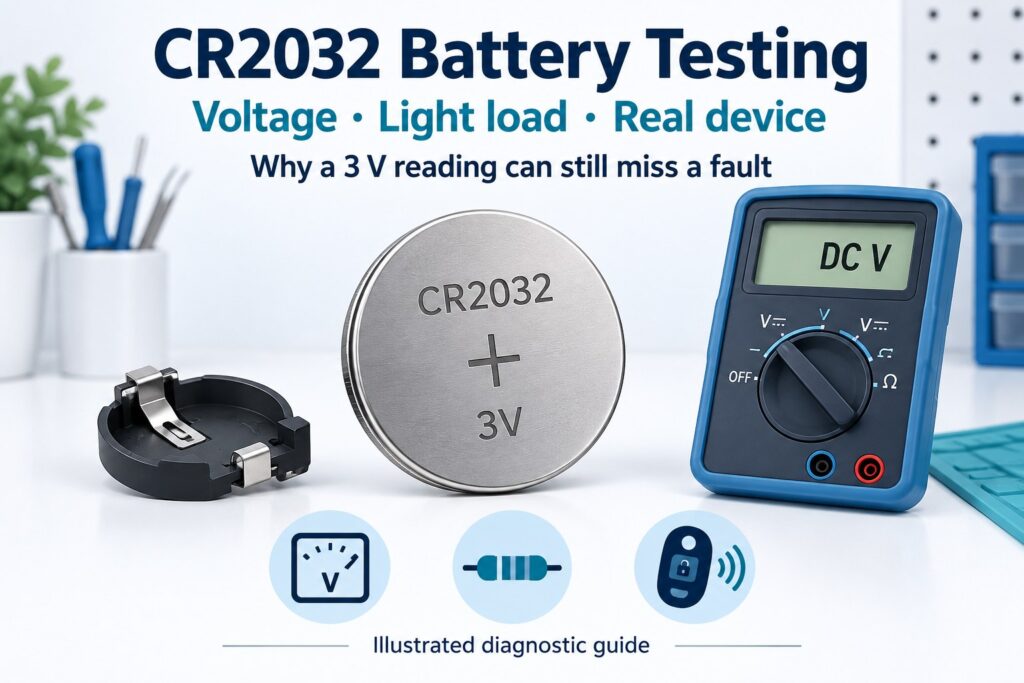
To test a CR2032 battery, measure its open-circuit voltage with a multimeter in DC-voltage mode, then check how it behaves under a suitable load. A reading near its nominal 3V does not establish remaining capacity or reliable device operation. The useful decision is whether the supply stays above the device's required minimum while it works.
A key fob can stop responding even when its coin cell appears to have a reasonable resting voltage. A sensor may restart only when it transmits. Replacing the battery repeatedly can also miss a poor holder contact. This guide separates three questions: does the cell have voltage, does it support a defined load, and does the installed device receive enough voltage?
What does a CR2032 voltage reading actually tell you?
A CR2032 is a primary lithium coin cell with a nominal voltage of 3V. Panasonic lists a 20.0mm diameter and 3.2mm height for its standard CR2032. These identify the cell format; they do not describe every manufacturer's usable capacity or pulse performance. See the Panasonic CR2032 product specifications.
Keep three measurements separate:
| Test | What it can establish | What it cannot establish alone |
|---|---|---|
| Open-circuit voltage | A resting voltage reading and polarity check | Remaining mAh, pulse capability or expected runtime |
| Defined resistor load | Voltage while supplying a known light load | Performance under every possible device load |
| Measurement in the intended device | Supply behavior during the operation that causes trouble | Full capacity without a controlled discharge test |
An open-circuit measurement is a useful first screen. Treat it as one entry in a test record, not a complete battery-health score. Record the cell model, temperature, measurement conditions and device symptom alongside the voltage.
How do you test a CR2032 battery with a multimeter?
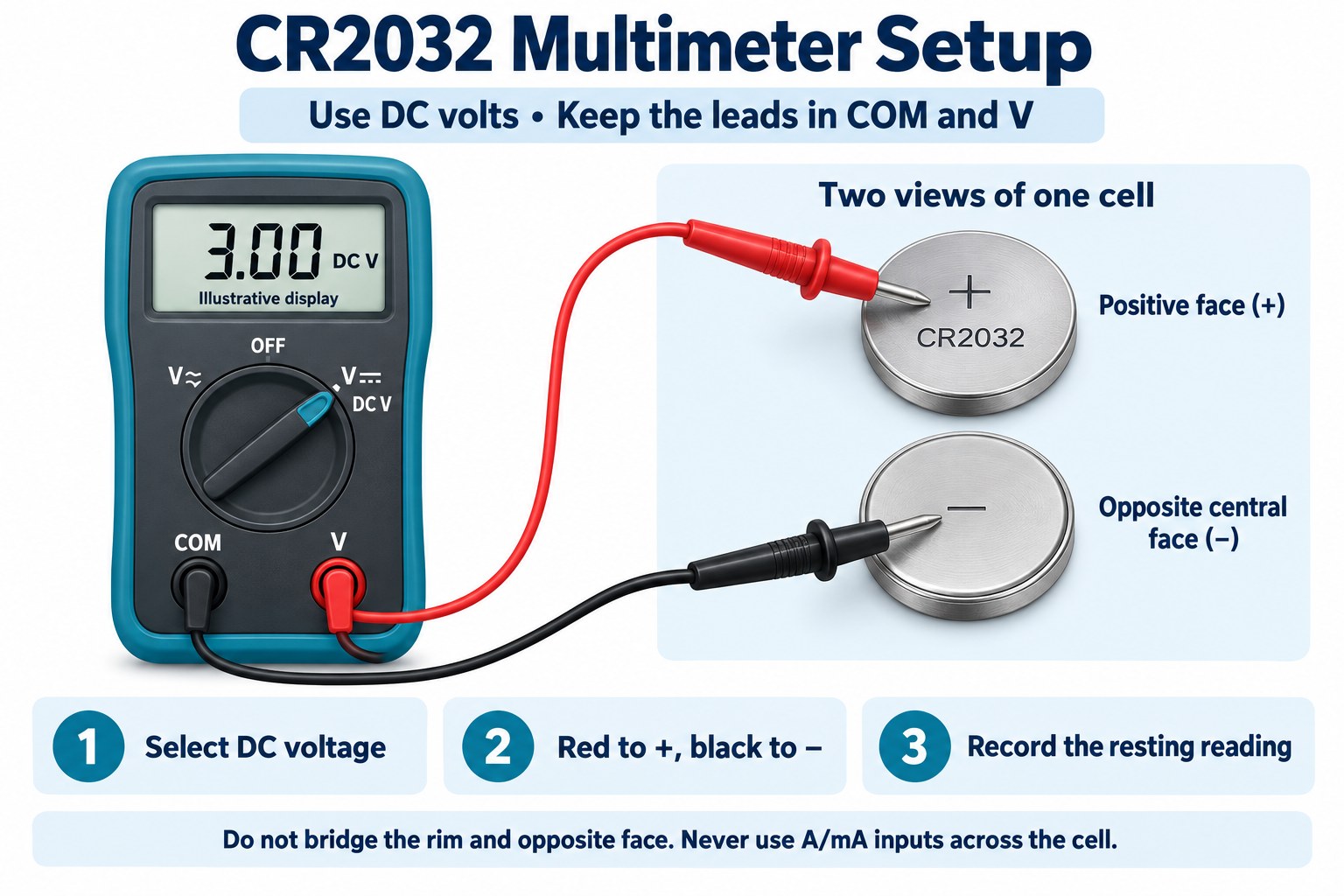
Use DC volts, with the black lead in COM and the red lead in the voltage input. A manual-range meter needs a range above the expected reading; for example, select 20V DC if its alternatives are 2V and 20V. An autoranging meter can use its DC-voltage setting.
- Switch off the device and follow its removal instructions. Measure a removable cell outside the holder when possible. Do not pry out a soldered battery.
- Check the meter inputs and mode. Keep the red lead out of the A or mA current input.
- Touch the red probe to the face marked positive and the black probe to the opposite negative contact. Avoid bridging the positive rim and the negative face.
- Read and record the resting voltage. A negative display normally indicates reversed probe polarity.
Fluke's DC-voltage measurement instructions explain the input connections and why a current input can create a short when used across a voltage source.
Use a holder for repeatable testing. Do not short, heat or attempt to recharge a CR2032. Stop testing a damaged or leaking cell. Keep loose coin cells away from children; follow the battery manufacturer's handling instructions.
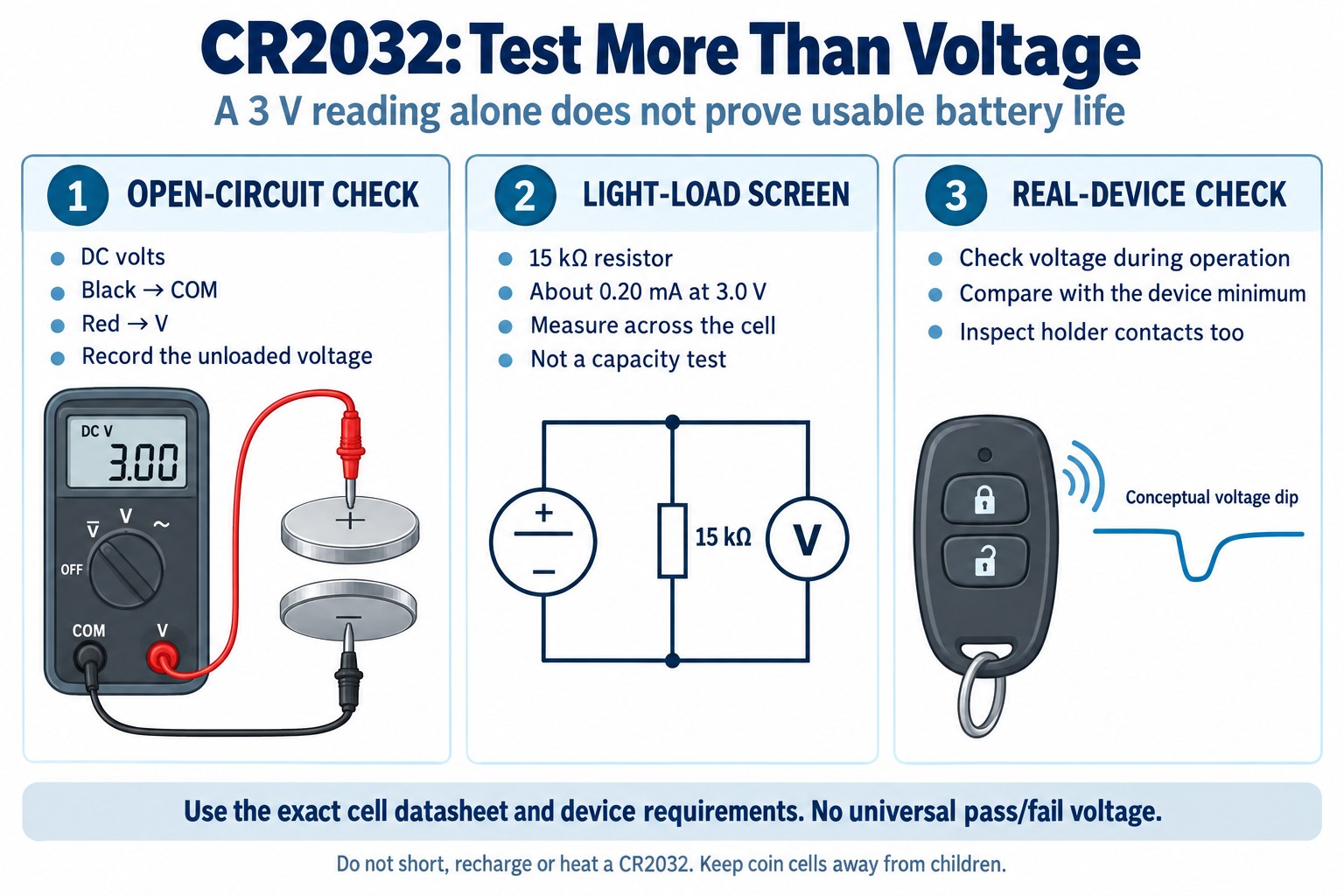
How can you perform a CR2032 load test without overstating the result?
A 15kΩ resistor provides a light-load screening example, not a universal acceptance test. The Energizer CR2032 datasheet uses a 15kΩ continuous load at 21°C for its capacity rating and discharge curve. It lists typical capacity to a 2.0V cutoff. Those are published characterization conditions, not a claim that every device works down to 2.0V. See the Energizer CR2032 datasheet.
For a brief comparison screen, use a suitable coin-cell holder and connect the resistor across its two terminals. Keep the multimeter in DC-voltage mode and measure across the same terminals: the resistor and voltmeter are parallel branches. Record the loaded voltage after a defined interval, then disconnect the resistor.
For example, record the reading at five seconds on both the suspect cell and a known-good comparison cell of the same model. The five-second interval is an example procedure chosen for consistency; it is not an Energizer specification or an industry acceptance standard. Keep temperature, holder and timing the same for both cells.
At 3.0V, Ohm's law gives I = V/R = 3.0/15,000 = 0.00020A = 0.20mA. Resistor power is P = V²/R = 0.00060W = 0.60mW. At a lower measured voltage, the resistor draws less current. These are calculations for the example circuit, not measured results.
Passing this screen only means the cell maintained the observed voltage under that light load for that interval. If the device still fails, move to its actual operating condition. Do not switch to a much smaller resistor simply to make the result look more decisive; select an application test from the exact cell datasheet and device requirements.
Why can a CR2032 read 3V but still fail in a device?
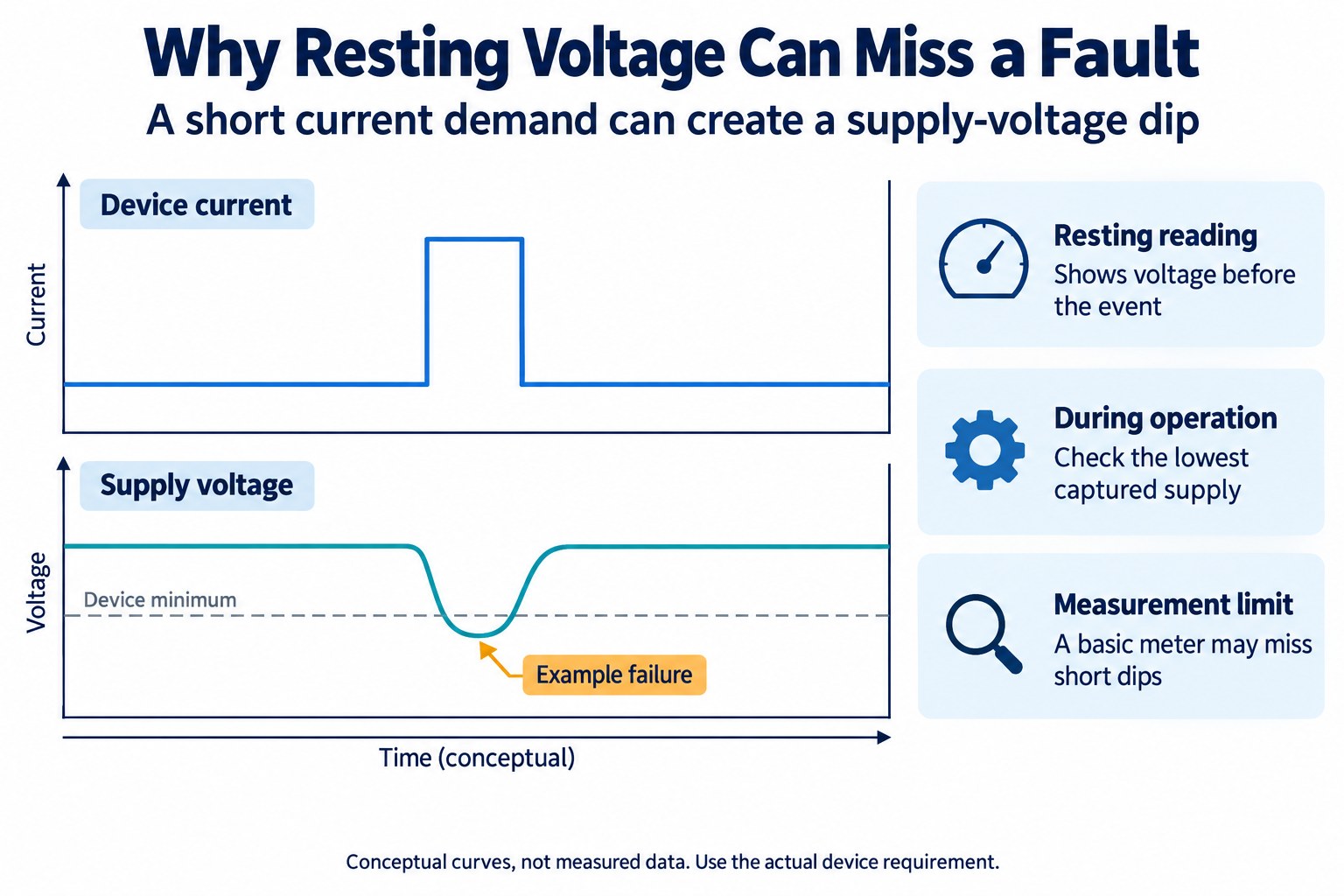
The resting reading and the lowest operating voltage answer different questions. Load current creates a voltage drop through the cell and the supply path. A short demand for current can therefore cause a failure that a resting measurement misses. Texas Instruments examines CR2032 pulse loads and internal resistance in Coin Cells and Peak Current Draw, SWRA349.
The practical diagnostic sequence below is a synthesis for this guide. It is not a manufacturer pass/fail specification:
- Reproduce the symptom. Identify the action that fails, such as a key-fob button press or a sensor transmission.
- Check the cell contacts. Confirm polarity, seating, cleanliness and holder condition before blaming the cell.
- Measure at the relevant supply point. Where safe access permits, compare voltage at the battery terminals and the device's supply input during the same action.
- Check the device limit. Use its documented operating minimum or brownout requirement. Include any voltage loss between the battery and the electronics.
- Repeat with a known-good cell. Keep the procedure unchanged so the comparison has meaning.
A basic meter may not capture a short dip. Check the meter's sampling and minimum-capture specifications; use an appropriate oscilloscope or data logger when the event is faster than the meter can resolve. A steady display is not proof that the supply stayed steady between display updates.
How should you interpret the test results?
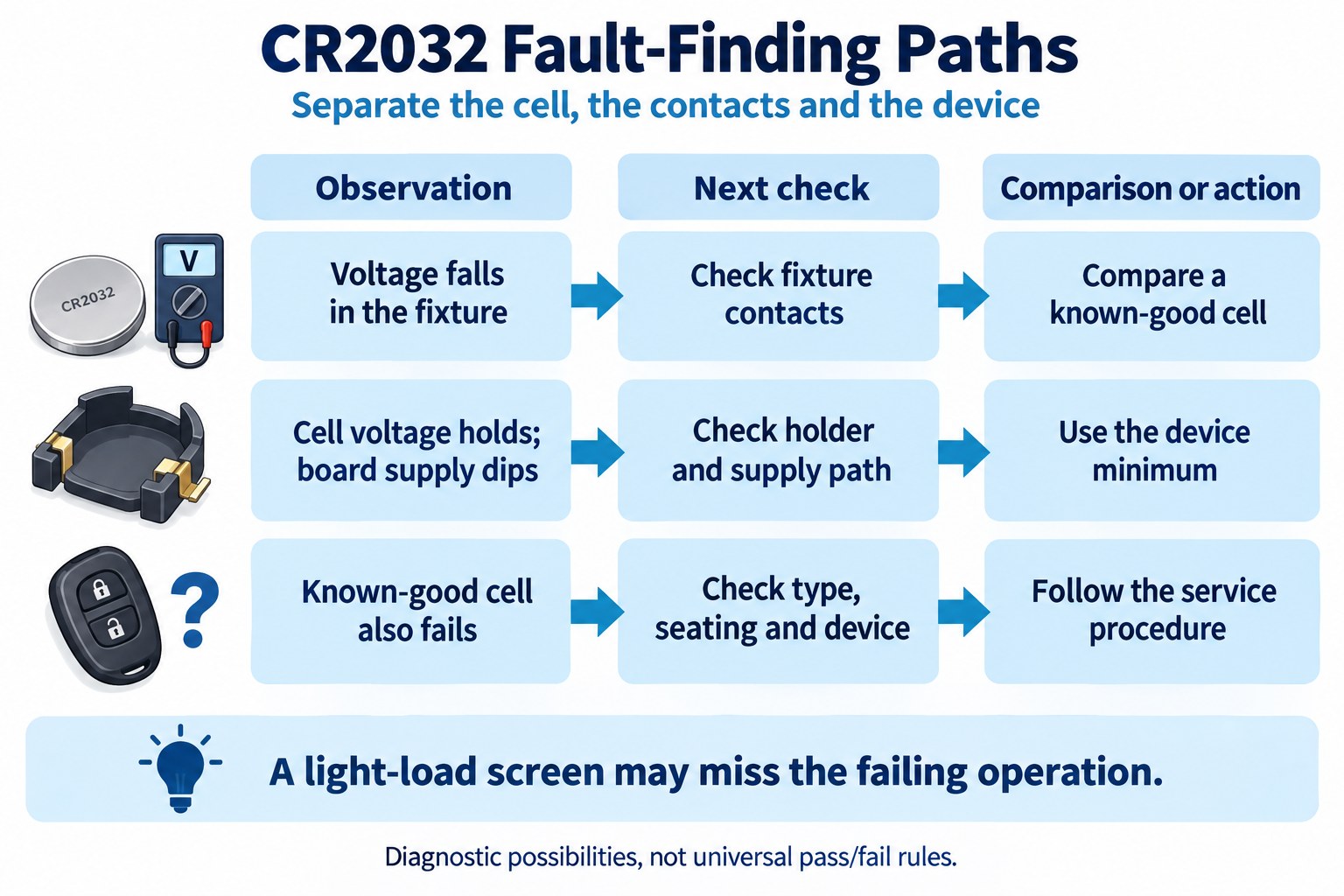
Compare voltage under the relevant load with the device requirement. A fixed rule such as “replace every CR2032 below 2.8V” leaves out current, temperature, contacts and the device's minimum supply. The examples below guide troubleshooting; they do not establish a universal replacement voltage.
| Observation | Possible explanation | Next action |
|---|---|---|
| Reasonable resting voltage, pronounced drop under the same light load | Weak cell or poor fixture contact | Check the holder and compare with a known-good cell under identical conditions |
| Light-load screen looks similar to the comparison cell, but the device fails | The screen does not reproduce the failing operation | Measure during the actual event and check the device supply requirement |
| Battery-terminal voltage remains adequate, but the board supply falls | A contact or supply-path problem may contribute | Inspect the path between the holder and electronics |
| A known-good replacement fails in the same way | Device fault, incorrect cell type or installation problem remains possible | Follow the device's service procedure instead of replacing cells repeatedly |
| Reading changes when the probes or holder move | Unstable contact or measurement setup | Stabilize the fixture before interpreting the result |
Can a quick test measure capacity or qualify a batch?
No. A brief voltage or load check does not measure remaining capacity. Capacity testing requires a controlled discharge with a defined load, temperature and end condition. Calculate discharged charge by integrating current over time; do not convert one voltage reading into a percentage.
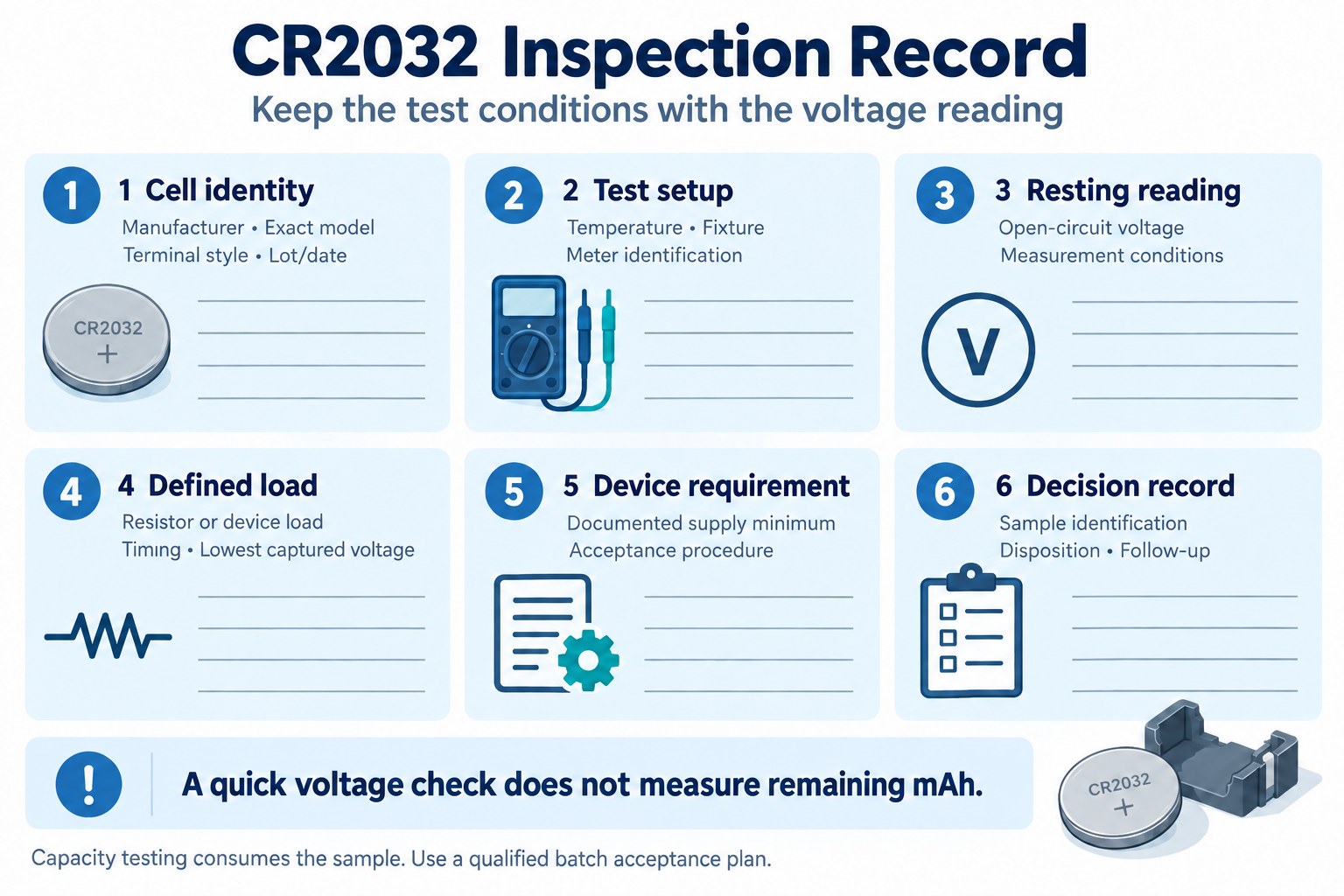
For incoming inspection, build a sampling and acceptance procedure around the chosen manufacturer model and the intended equipment. A comparison cell helps troubleshoot an individual fault; it does not replace a qualified batch acceptance plan. A capacity test consumes the tested cell's stored energy, so plan samples separately from production stock.
| Record | Why it matters |
|---|---|
| Manufacturer, exact model, terminal style and lot/date marking | Connects the reading to the correct specification and traceable sample |
| Temperature, fixture and meter identification | Makes repeated measurements easier to compare |
| Open-circuit voltage and defined-load voltage | Separates the resting condition from the screened condition |
| Resistor value or device load, timing and lowest captured voltage | Defines what the test actually exercised |
| Device minimum, acceptance rule and final disposition | Connects a measurement to an engineering decision |
For replacement sourcing, specify the exact chemistry, cell format, terminals and device requirements. A shared “2032” size code does not authorize substitution with a rechargeable battery. Panasonic identifies the referenced CR2032 as a primary cell; consult the device documentation before choosing another chemistry.
CR2032 battery testing FAQ
What voltage should a CR2032 battery have?
Its nominal voltage is 3V. Nominal voltage is a designation, not a complete acceptance range. Judge a measurement using the exact cell specification, test load and device operating requirement.
Is a CR2032 battery reading 3.0V definitely good?
No. It confirms a voltage reading under the conditions used. Continue with a suitable load check and, when diagnosing a fault, the operation that causes the device to fail.
Should I replace a CR2032 at 2.8V?
There is no universal answer from that number alone. Compare the operating supply with the device minimum. A documented service threshold for your device takes priority over a generic voltage chart.
Can I test a CR2032 without a multimeter?
A tester designed for 3V lithium coin cells can provide a screen if its load and acceptance rule are appropriate. Trying the cell in the intended device is a functional check, but it does not provide a numerical voltage or capacity measurement.
Can I use the multimeter's battery-test mode?
Only if the meter manual specifies suitability for this cell type and explains the test load. A battery mode intended for another battery size can give a misleading result. Use DC-voltage mode for the procedures described here.
Turn the test record into a clearer sourcing request
If coin cells are part of your project BOM, include the manufacturer model, quantity, terminal style, intended device and validated test requirements. This makes the sourcing request more useful than asking for a generic “3V battery.” Availability and suitability require confirmation for the requested part.
Upload your BOM Discuss the sourcing requirement