Identify the load
A feedback loop, a logic input and an external power triac place different demands on the output stage. Record the circuit’s required function first.

No products in the cart.
Optoelectronics · Component selection
Which output does your circuit need?
Compare photocouplers by output type, channel count, package and isolation test voltage. Find a complete ordering code, open its datasheet and add the required quantity to your RFQ.
Choose by requirement
Start with the receiving circuit and the LED current your input can supply. Keep the ordering suffix with the specifications when comparing parts.
A feedback loop, a logic input and an external power triac place different demands on the output stage. Record the circuit’s required function first.
Record the available LED forward current and temperature range. For a transistor output, check the minimum CTR at a comparable test point.
List the working voltage, transient requirements and insulation class your design requires. Keep the withstand-test duration and units with its voltage.
Count channels and pins separately. Confirm mounting style, lead span and orientation against the land pattern or through-hole drawing.
Product catalog
Search for an exact MPN, manufacturer or SKU. Select a row to check its datasheet or add the part to your inquiry.
Filters use explicit listing values. Open the datasheet for test duration, working voltage and insulation conditions.
| Part number / manufacturer | Output type | Channels | Package | Isolation test voltage | Details / RFQ |
|---|
Loading the complete product catalog…
Clear one or more filters, or send the complete part number and required quantity.
Request a specific part ↗Output types
The LED input describes how the signal crosses the barrier. The receiver determines which specification to compare.
The receiver provides collector current as a function of LED drive. This is useful for isolated feedback or a pulled-up sensing input.
An optical receiver with a logic output has threshold and timing specifications. A totem-pole output and an open-collector output have different interface requirements.
A triac driver optocoupler can trigger an external power triac. A zero-cross type delays turn-on until the AC voltage falls within its trigger window.
Read the datasheet
Two numbers that appear side by side on a product listing answer different engineering questions.
CTR (%) = 100 × IC / IF
For a phototransistor output, read the guaranteed minimum for the exact ordering code and the maximum when one is specified. Keep LED forward current (IF), collector-emitter voltage (VCE) and ambient temperature (Ta) with those limits.
The datasheet gives 100–200% at IF = 5 mA, VCE = 5 V and Ta = 25 °C. At that test point, 100% corresponds to 5 mA collector current. For a saturated switch or different temperature, check the applicable curves and limits.
VISO · VIORM · package spacing
A withstand rating states the voltage and duration of a dielectric test. For continuous operation, verify the permitted working voltage, insulation class and application conditions for the exact option.
Vishay lists 5300 VRMS for a one-minute withstand test and 890 Vpeak for maximum repetitive peak isolation voltage. It also specifies creepage and clearance by package option. Keep each value with its label and unit.
Board fit & ordering codes
Compare the original and proposed datasheets side by side. A shared pin count can hide different terminal functions, lead forms or isolation spacing.
Use the top-view drawing to identify each terminal. Check input polarity where applicable, then map the collector and emitter, logic output, gate-drive, triac or photovoltaic terminals shown for that part.
Check the package drawing, lead span, pitch and mounting style. Match surface-mount pads or through-hole spacing to the actual board.
Compare creepage along the package surface and clearance through air. Check the package option and the board layout against the design requirements.
Record the CTR bin, lead form, packing suffix and any approval option. Tape-and-reel codes may appear in the ordering code even when the package marking omits them.
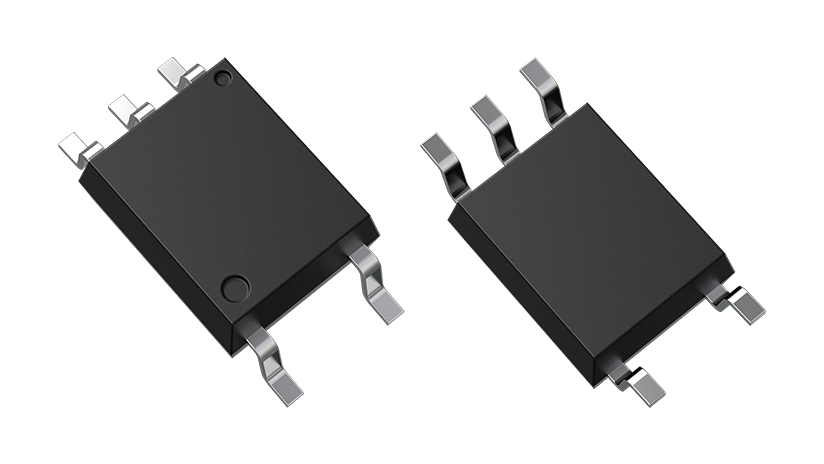
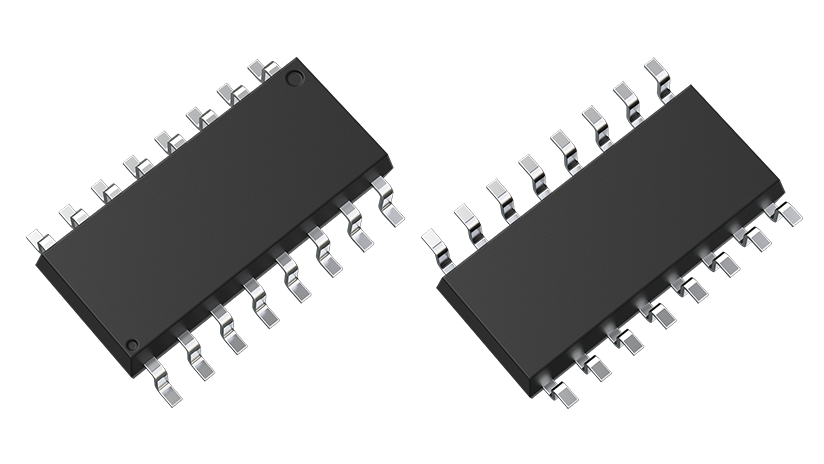
Images show package appearance. Use the manufacturer’s drawing for dimensions and pin assignments.
Selection FAQ
Both names describe a component that uses light to carry a signal across an insulation barrier. An opto-isolator can have a transistor, logic or triac output, so name the output circuit in your RFQ.
Compare values for the same IF, VCE and ambient temperature, then check whether the figures are specified limits or typical values. The ordering suffix may select a particular CTR bin.
Use the specified working or repetitive voltage rating and the associated insulation conditions for continuous operation. The withstand voltage applies to a stated dielectric test and duration.
A zero-cross phototriac enables triggering close to an AC voltage crossing. Random-phase devices permit triggering elsewhere in the cycle when their input and output conditions are met. Match the part to the control method.
Check the exact drawing and pin table. Confirm the top-view orientation, all input and output leads, lead form, channel arrangement and the board-side spacing before approving a replacement.
The product listing has no explicit specification in that field. Open the datasheet for the full manufacturer part number or include the requirement in your inquiry.
Enter the complete manufacturer ordering code and quantity in the RFQ builder. Add the bin and test conditions in the project notes, or attach a BOM through the inquiry form.
Copy the text or download the TXT file, open the inquiry form, then paste the list or attach the file and submit. Quotes, availability and lead times are confirmed for that request.
Exact MPN · Quantity · Requirements
Add catalog products or enter a full ordering code. Copy or download the list, then submit it on our inquiry page.
No parts added yet. Start in the catalog or add a part number below.
Add a part and enter a quantity to prepare your request.
Paste the copied text or attach your TXT or BOM on the inquiry form, then submit it there.
Pricing, availability, lead time, documentation and substitutions are confirmed for the specific sourcing request.
WhatsApp us