
Table of Contents
8-bit vs 32-bit MCU: How to Choose the Right Microcontroller for Your Design
Introduction
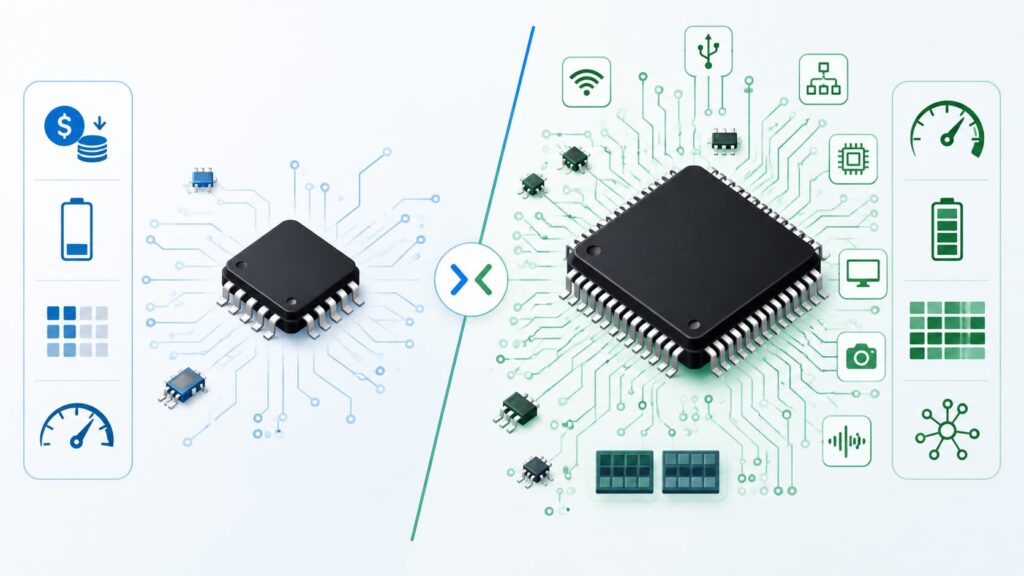
Choosing between an 8-bit MCU and a 32-bit MCU is not only a technical decision. It also affects component cost, firmware development, sourcing stability, alternative part options, inventory planning, and long-term product support.
In the past, many simple products used 8-bit microcontrollers because they were low-cost, easy to program, and available in simple packages. Today, low-cost 32-bit MCUs are much more common. Some entry-level 32-bit devices now compete directly with traditional 8-bit and 16-bit MCUs in cost-sensitive applications.
However, this does not mean 8-bit MCUs are obsolete. They are still widely used in simple control, low-power products, home appliances, small sensors, basic user interfaces, and stable legacy designs. The better choice depends on what the product needs, how long it must stay in production, and how easy the component will be to source in the future.
1. What Is an 8-bit MCU?
An 8-bit MCU is a microcontroller that processes data in 8-bit units. It is commonly used for simple control tasks where the firmware is small and the system does not need high computing power.
Typical uses include:
LED control
Simple button interfaces
Small sensors
Basic motor control
Relay control
Timers and counters
Simple home appliance control
Low-cost consumer electronics
The main advantage of an 8-bit MCU is simplicity. It often has a smaller instruction set, lower memory size, fewer pins, and a simpler development process. For many basic products, this is enough.
For procurement teams, 8-bit MCUs can also be attractive because many mature models have long market history, stable documentation, and available replacement options within the same family.
2. What Is a 32-bit MCU?
A 32-bit MCU processes data in 32-bit units. It can handle larger numbers, more complex firmware, more memory, and more advanced peripherals than most 8-bit MCUs.
Typical uses include:
Industrial control
IoT devices
Smart meters
Motor control
Medical electronics
Communication devices
Touch interfaces
Secure embedded systems
Products needing USB, CAN, Ethernet, or advanced ADC features
Many 32-bit MCUs are based on Arm Cortex-M cores, such as Cortex-M0+, Cortex-M3, Cortex-M4, Cortex-M7, Cortex-M33, and newer higher-performance cores. Different cores target different needs, from low-cost control to DSP, security, graphics, and edge AI.
For engineering teams, a 32-bit MCU usually gives more room for firmware growth. For buyers, it may also provide better platform scalability because one MCU family may include many pin-compatible or software-compatible options.
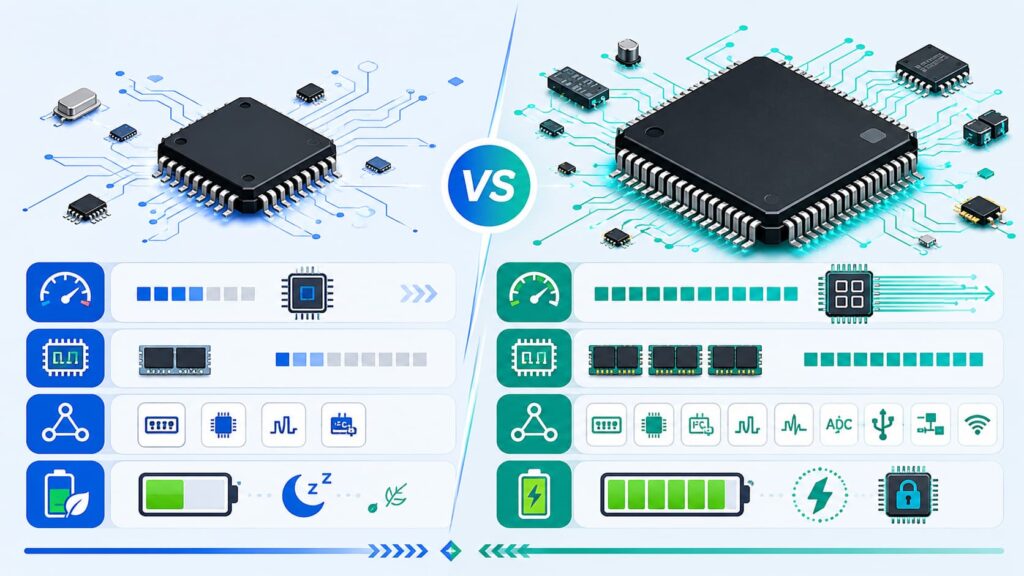
3. Key Differences Between 8-bit and 32-bit MCUs
I. Processing Performance
The most obvious difference is processing power.
An 8-bit MCU is suitable for simple tasks. It can read inputs, control outputs, run timing logic, and manage basic communication. But when the firmware needs fast calculations, real-time data processing, or multiple communication interfaces, an 8-bit MCU may become limited.
A 32-bit MCU can process more data per clock cycle. It is better for applications that need:
– Faster response time
– Larger firmware
– More communication protocols
– Sensor fusion
– Signal processing
– Advanced motor control
– Security functions
– Real-time operating systems
However, higher performance is not always needed. If the product only turns a relay on and off, reads a simple sensor, or controls a basic display, an 8-bit MCU may still be practical.
II. Memory Size
Memory is another major difference.
8-bit MCUs usually have smaller Flash and RAM. This works for compact firmware with simple logic. But if the firmware includes communication stacks, bootloaders, encryption, display drivers, or field update functions, memory can become a problem.
32-bit MCUs usually provide more Flash and RAM options. This makes them better for products that may need future firmware updates or feature expansion.
For sourcing teams, memory size must be checked carefully before replacement. A device with the same package and similar pin count may still fail if Flash, RAM, EEPROM, or boot memory does not match the original design requirements.
III. Peripheral Support
Peripheral support can be more important than CPU bit width.
Common MCU peripherals include:
– UART
– SPI
– I²C
– ADC
– DAC
– PWM
– Timers
– USB
– CAN / FDCAN
– Ethernet
– Watchdog timer
– Low-power modes
– Touch sensing
– Security blocks
Many 8-bit MCUs already include useful analog and control peripherals. For simple sensing or control, they can be very efficient.
32-bit MCUs usually provide more advanced peripherals and better integration. If the design needs USB, CAN, multiple UARTs, DMA, high-speed ADC, advanced timers, or security functions, a 32-bit MCU may reduce the need for extra ICs.
From a BOM perspective, the lowest MCU unit price is not always the lowest system cost. A slightly higher-cost MCU may reduce external components, simplify sourcing, and improve long-term supply planning.
IV. Power Consumption
It is easy to assume that 8-bit MCUs always use less power, but this is not always true.
An 8-bit MCU may consume less current in a very simple always-on task. But a 32-bit MCU can sometimes finish processing faster and then enter sleep mode. This “run fast, sleep longer” method can reduce total energy use in some designs.
The right choice depends on the duty cycle:
– For simple, slow, always-on tasks, 8-bit may be efficient.
– For burst processing, wireless communication, or sensor processing, 32-bit may be better.
– For battery-powered products, always compare active current, sleep current, wake-up time, peripheral current, and operating voltage.
Power selection should be based on the datasheet and real operating conditions, not only on whether the MCU is 8-bit or 32-bit.
4. Cost: Is 8-bit Always Cheaper?
Historically, 8-bit MCUs were clearly cheaper. Today, the difference is smaller.
Many entry-level 32-bit MCUs are designed for cost-sensitive products. Some 32-bit MCU families now target applications that were traditionally served by 8-bit or 16-bit devices.
This changes the selection logic. Buyers and engineers should compare total cost, not only MCU unit price.
Check these cost factors:
MCU unit price
Package type
Required external components
Development time
Firmware reuse
Testing cost
Alternative part availability
Long-term supply risk
Last-time-buy risk
Inventory holding cost
A low-cost 8-bit MCU may still be the right choice for a stable, simple product. But for a new design with future feature growth, a low-cost 32-bit MCU may provide better long-term value.
5. Package and Pin Compatibility
Package selection is important for both engineering and purchasing.
Common MCU packages include:
DIP
SOP / SOIC
SSOP
TSSOP
QFN
LQFP
BGA
WLCSP
Many 8-bit MCUs are available in simple packages with fewer pins. This makes them easier to inspect, test, and replace in mature products.
32-bit MCUs are available in both small and high-pin-count packages. Some are compact and suitable for space-limited designs, while others provide many GPIOs and interfaces.
For replacement, do not only compare the package name. Also check:
Pin count
Pin pitch
Pinout
Power pins
Reset pin
Boot pins
Oscillator pins
Debug interface
ADC channel mapping
Communication pin mapping
Temperature grade
A replacement MCU must match both electrical and firmware requirements.
6. Firmware and Development Ecosystem
Firmware development can strongly affect MCU selection.
8-bit MCUs are often easier for simple firmware. They are suitable when the code is small, the function is fixed, and the engineering team already has experience with that MCU family.
32-bit MCUs usually require a more advanced development environment. But they also provide stronger software ecosystems, libraries, RTOS support, middleware, and debugging tools.
Choose 32-bit MCU if the product needs:
– RTOS support
– USB stack
– Security library
– Firmware update function
– Wireless stack
– Complex sensor algorithms
– Advanced debugging
– Long-term software scalability
Choose 8-bit MCU if the product needs:
– Simple control logic
– Short firmware
– Low development complexity
– Stable legacy code
– Lower learning cost
– Simple production programming
7. Sourcing and Lifecycle Considerations
For B2B electronics procurement, availability can be as important as performance.
Before choosing an MCU, check:
Manufacturer lifecycle status
Product longevity program
Current stock level
Lead time
Package availability
Temperature grade availability
Tape-and-reel options
Original factory traceability
PCN and EOL history
Alternative models in the same family
A technically suitable MCU can still become a purchasing risk if it has unstable stock, limited package options, or no clear lifecycle support.
For long-life products, choose MCU families with strong manufacturer support and multiple compatible options. For existing products, avoid changing from 8-bit to 32-bit unless the firmware, pinout, voltage, package, and test process are fully reviewed.
8. When Should You Choose an 8-bit MCU?
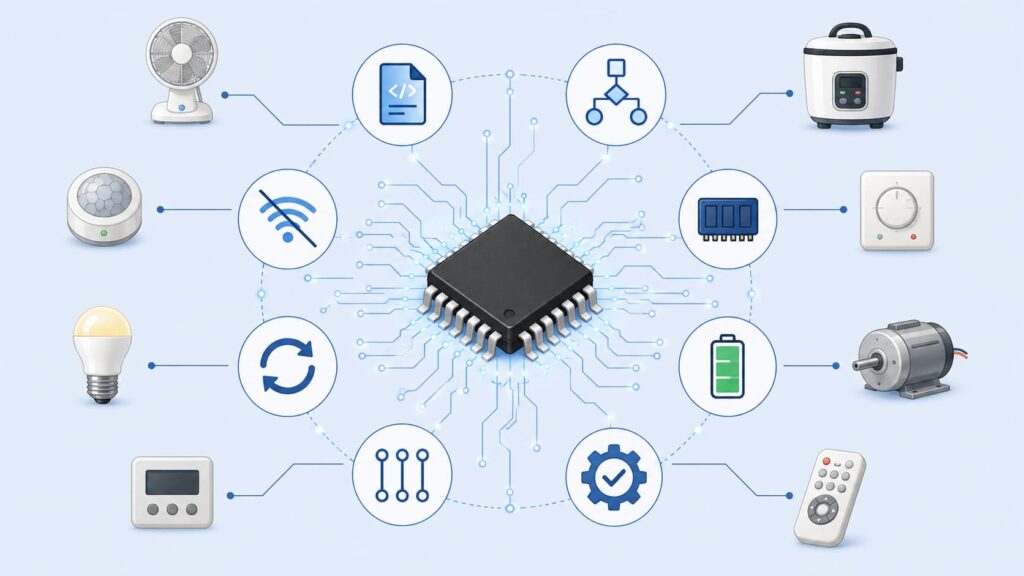
An 8-bit MCU is still a good choice when the product is simple, stable, and cost-sensitive.
Choose 8-bit MCU when:
The firmware is small
The function is fixed
Processing speed is not critical
Memory demand is low
Power requirement is simple
The product has a mature design
The engineering team already uses the platform
Long-term replacement parts are available
The application does not need advanced connectivity
Typical examples include small appliances, simple sensors, LED products, basic control modules, simple motor control, and low-cost consumer devices.
9. When Should You Choose a 32-bit MCU?
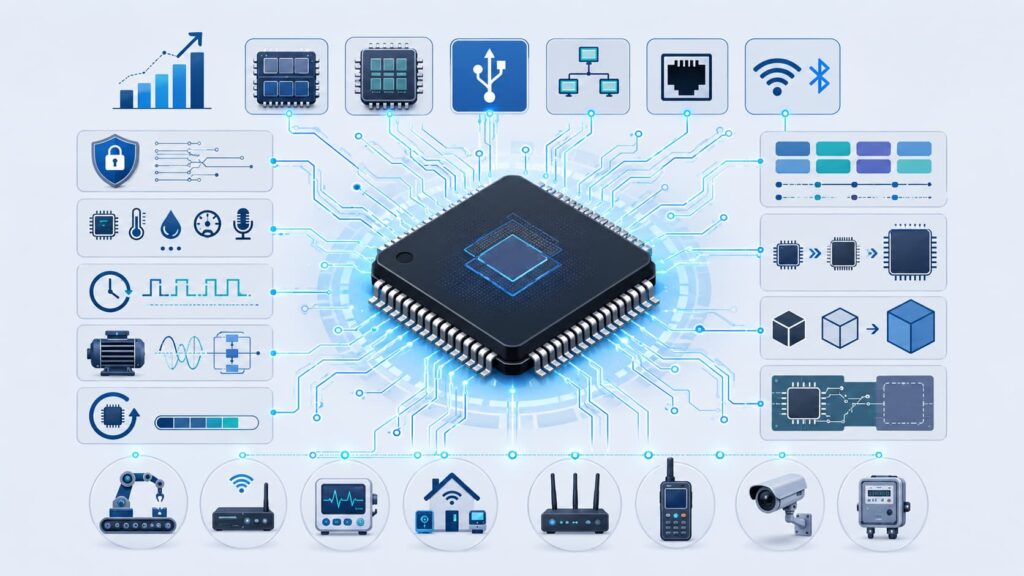
A 32-bit MCU is usually better for new products that need more performance, more memory, or future expansion.
Choose 32-bit MCU when:
The firmware may grow over time
The product needs USB, CAN, Ethernet, or wireless support
The design needs stronger security
The product uses many sensors
Real-time response is important
The product needs advanced motor control
Firmware update support is required
The system may need RTOS
Long-term platform scalability matters
For new industrial, IoT, medical, smart home, and communication products, 32-bit MCUs are often a safer long-term platform.
10. MCU Selection Checklist for Buyers and Engineers
Before confirming an MCU order, check these points:
Technical Checklist
Core type: 8-bit, 16-bit, or 32-bit
Clock frequency
Flash memory
RAM
EEPROM or data memory
Operating voltage
GPIO count
ADC resolution
Timer and PWM channels
Communication interfaces
Low-power modes
Security features
Package and pinout
Temperature range
Sourcing Checklist
Manufacturer and series
Full part number
Package code
Tape-and-reel code
Date code requirement
Original factory packaging
Lifecycle status
PCN / EOL status
Lead time
Alternative models
Authorized or traceable supply source
Quality inspection requirements
This checklist helps reduce wrong purchases, unstable replacements, and delays during production planning.
Conclusion
The choice between 8-bit and 32-bit MCU should not be based only on bit width. An 8-bit MCU can still be the right option for simple, stable, low-cost control applications. A 32-bit MCU is usually better when the product needs more processing power, larger memory, advanced peripherals, security, or long-term platform growth.
For new designs, low-cost 32-bit MCUs are becoming more attractive because they offer stronger performance and better scalability. For existing products, 8-bit MCUs remain important because of stable firmware, mature supply chains, and proven reliability.
The practical decision is simple: choose the MCU that meets the technical requirements, supports future sourcing, and reduces lifecycle risk.
FAQ
1. Is a 32-bit MCU always better than an 8-bit MCU?
No. A 32-bit MCU has more processing power, but an 8-bit MCU may be better for simple, low-cost, stable applications.
2. Is an 8-bit MCU obsolete?
No. 8-bit MCUs are still used in many products, especially simple control systems, low-cost devices, and legacy designs.
3. Can I replace an 8-bit MCU with a 32-bit MCU?
Sometimes, but not directly in most cases. You must check pinout, voltage, package, memory, peripherals, firmware compatibility, and test requirements.
4. Which MCU is better for IoT products?
Most IoT products benefit from 32-bit MCUs because they often need more memory, communication stacks, security, and firmware update support.
5. What should buyers check before sourcing MCU parts?
Buyers should check the full part number, package, lifecycle status, lead time, original source, date code, stock condition, and alternative part options.