
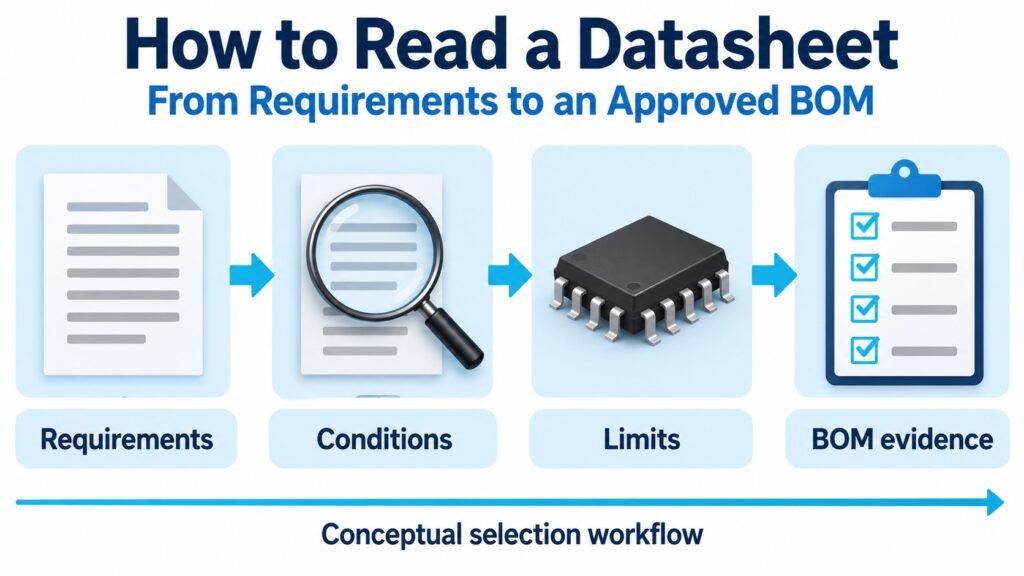
To read a datasheet, start with what your circuit needs, identify the exact device and document revision, then match each requirement to a specification and its conditions. Separate stress ratings, operating conditions and performance limits. Finish by checking the package, application guidance and outstanding validation work before approving the part.
A component datasheet is a manufacturer's technical description of a device or device family. It is most useful when you turn it into a record of decisions: which requirement is met, under which conditions, by which orderable part, and with what evidence.
This guide follows that workflow for electronic components. It covers unfamiliar symbols, minimum/typical/maximum columns, graphs, thermal ratings and procurement details without assuming that a promising headline specification proves a complete design.
| Your question | Where to look | What to record |
|---|---|---|
| Does the device perform the required function? | Description, block diagram and functional sections | Required modes and features |
| Can it operate on this rail? | Recommended operating conditions and electrical tables | Supply range, temperature and relevant dependencies |
| Is the required performance specified? | Electrical characteristics and footnotes | Limit, conditions, units and qualification |
| Will it communicate with the other device? | Input/output limits, timing and measurement information | Levels, loading, timing and power-state assumptions |
| Will it fit and assemble correctly? | Pin functions, mechanical drawing and assembly guidance | Exact package, orientation and footprint evidence |
| What exactly should purchasing order? | Ordering information and current product records | Full manufacturer part number and delivery packaging |
| What remains unresolved? | Errata, application notes and your validation plan | Open issue, owner and evidence needed |
Where should you start reading a datasheet?
Start with a short requirement list, then read the sections that can reject an unsuitable candidate. The aim is to answer a design question, not merely to reach the last page.
For a digital interface, write down the supply range, transmitter and receiver roles, required data rate, loading, temperature range and power-up sequence. For a power device, add transient stresses, loss limits, cooling conditions and abnormal operating states. A sensor may require a different list, including accuracy, bandwidth and calibration assumptions.
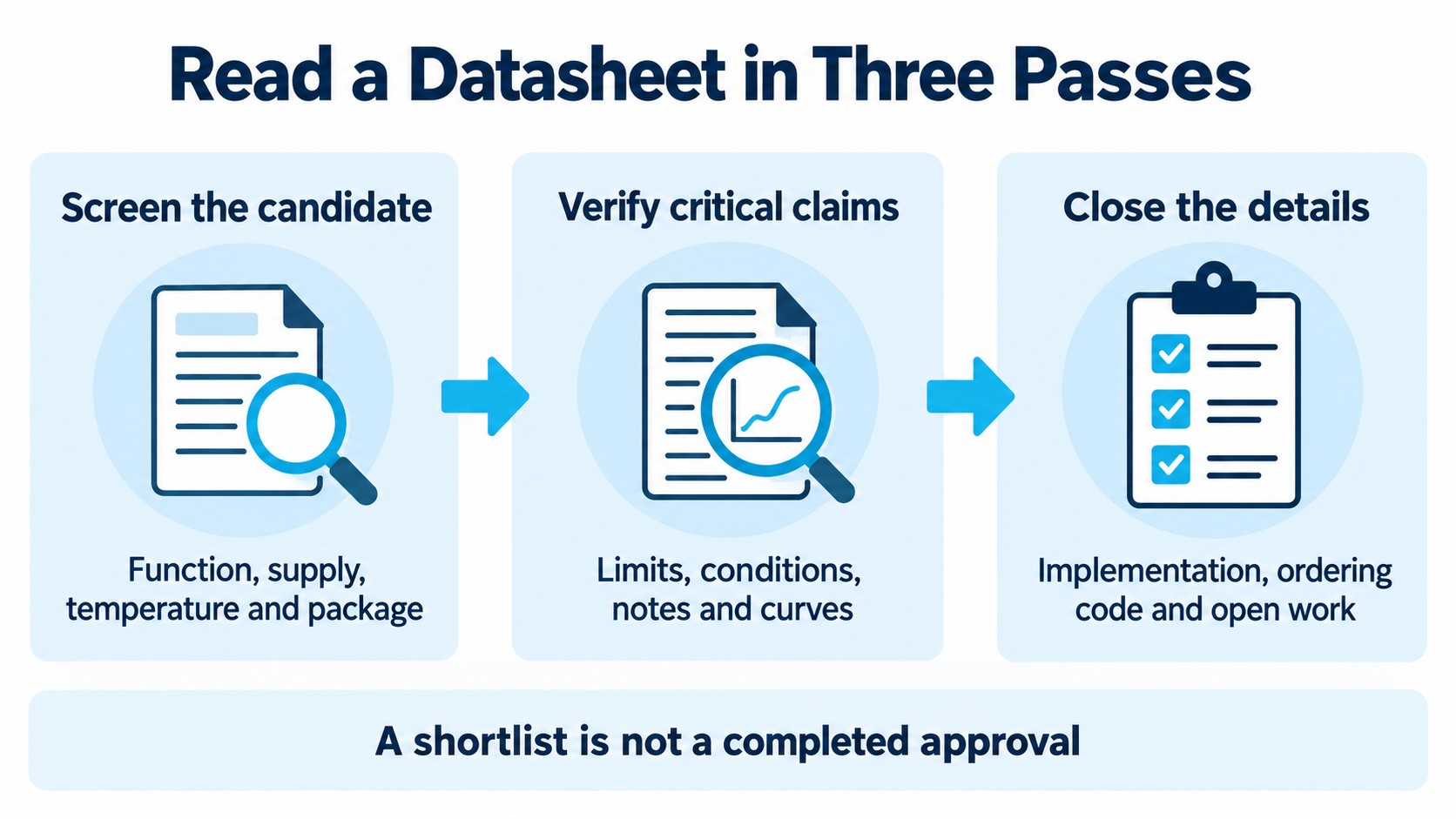
Use three reading passes:
- Screen the candidate. Confirm function, supported modes, supply range, temperature range and available package. Separate an attractive feature from a feature available under your conditions.
- Verify the critical claims. Read the electrical tables, notes, curves and measurement circuits for the requirements that determine success.
- Close the implementation and purchasing details. Check pin functions, layout, supporting components, full ordering code and related documents.
Before taking notes, record the manufacturer, exact family or variant, document identifier, revision and retrieval date. A family datasheet can contain several electrical grades and packages. Highlight which table and column apply to the intended part.
Also identify the document's status. A preliminary specification, an established product datasheet and a distributor's summary may carry different qualifications. Read the manufacturer's own statements instead of assuming that every PDF represents a released, orderable product.
The first pass should produce a shortlist and a list of unanswered questions. It should not produce an unconditional “approved” entry based on the first-page feature list.
What is the difference between ratings, operating conditions and specifications?
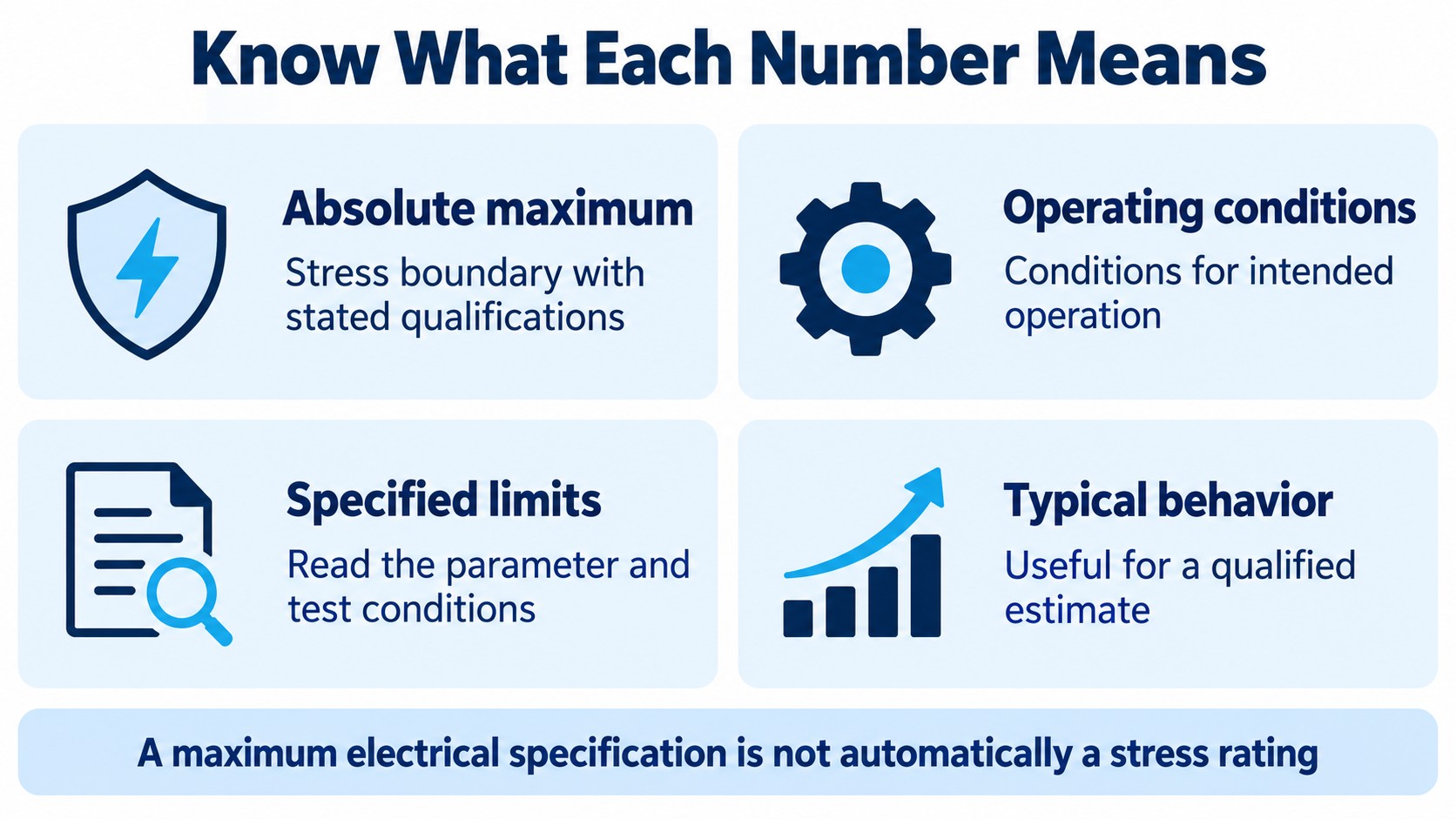
These sections answer different questions. A number is meaningful only after you identify the role of the table containing it.
| Information type | What it describes | Appropriate use |
|---|---|---|
| Absolute maximum rating | A device stress boundary, subject to its notes | Check that expected and abnormal stresses remain within applicable limits |
| Recommended operating condition | Conditions under which the device is intended to operate | Define the operating envelope before checking performance |
| Electrical minimum or maximum | A parameter requirement or limit under stated conditions | Match it to the correct design requirement and column |
| Typical value | Representative behavior as defined or characterized by the manufacturer | Estimate behavior while respecting its qualification |
| Typical characteristic curve | A trend under the graph's stated conditions | Understand sensitivity and plan further analysis |
| SOA or derating boundary | An operating constraint with its own assumptions | Check the actual stress, duration and thermal conditions |
An electrical-table maximum is not automatically an absolute maximum rating. A maximum output-low voltage, for example, is an output-performance bound. A maximum input-low voltage defines an input requirement. Neither means the same thing as a maximum supply stress.
An allowed supply range also does not make every feature available at every supply voltage. A timing table may use different rows for different supplies; an operating mode may impose additional conditions. Read the specifications for the mode you intend to use.
Does “typical” mean average?
Do not assume that it means the arithmetic average, median or most common production result unless the manufacturer defines it that way. It is not a substitute for a required guaranteed limit. Analog Devices' AD8224 noise-specification FAQ describes that particular typical noise specification as an estimate rather than a guarantee.
For your review, distinguish “useful for estimating” from “sufficient evidence for this requirement.” If a critical characteristic has only a typical value, record the evidence gap. Do not invent a maximum by applying an arbitrary percentage.
Does “guaranteed” mean every part was tested?
Not necessarily. The qualification can involve production testing, characterization or design, depending on the parameter and manufacturer's statements. As a specific historical example, Note 4 in the MAX1200 datasheet says the marked minimum/maximum parameters are guaranteed by design and not tested; the Reference Voltage row points to that note.
That statement applies to the referenced parameters. It does not describe every item in the document, and the example is not a recommendation to choose that device for a new design.
How do you read one electrical-characteristics row?
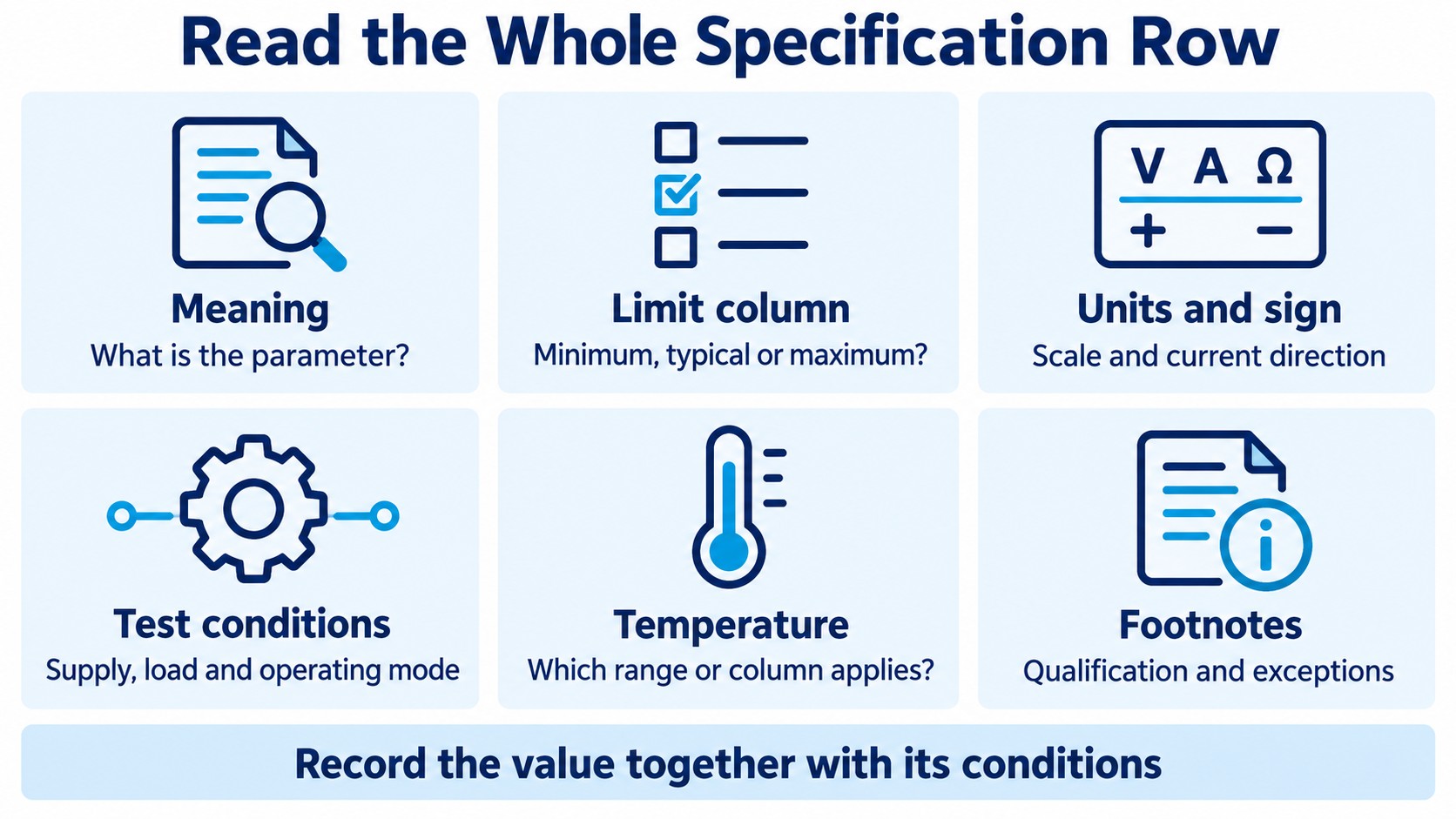
Read the parameter, limit and conditions as one claim. A spreadsheet cell containing only a number loses the information needed to use it correctly.
For each important row, capture these six fields:
| Field | Reading question | Example of a mistake it prevents |
|---|---|---|
| Symbol and meaning | What physical quantity or requirement is specified? | Confusing an input threshold with an output level |
| Minimum, typical or maximum | Which column applies to the decision? | Treating a typical result as a worst-case bound |
| Unit and sign | Are the units and current directions understood? | Mixing µA with mA or source current with sink current |
| Test conditions | Which supply, load, mode or input waveform is used? | Applying a lightly loaded result to a heavy load |
| Temperature coverage | Which temperature column or table heading applies? | Extending a room-temperature value across the full range |
| Footnotes and exceptions | Is the value tested, characterized, calculated or otherwise qualified? | Missing a restriction that changes the conclusion |
Texas Instruments' guide to interpreting standard-logic data sheets explains the relationship between operating conditions, electrical limits and measurement information. Its practical implication is simple: inspect the table heading and notes before extracting the row.
A blank minimum or maximum cell does not mean zero. Nor does it mean an unlimited acceptable value. It may mean that the document does not provide that particular bound in that row. Record “not specified here” and look for the relevant statement elsewhere.
Watch for shared conditions printed above a table and exceptions written beside one parameter. A local condition can override the general header. If the part family has several suffixes, a nearby column may apply to a different grade.
A useful review sentence is: “This requirement is covered by this limit, at these conditions, for this variant.” If you cannot complete that sentence, the datasheet lookup is not finished.
What does a real logic-level compatibility check look like?
Compare the driver's guaranteed output bounds with the receiver's required input levels under compatible conditions. Comparing two nominal supply labels is insufficient.
The following compact example uses TI's SN74LVC1G125 datasheet, SCES223U, revised August 2026.
| Parameter | Published value | Conditions or role | Printed page |
|---|---|---|---|
| VCC absolute maximum | 6.5 V | Stress rating, not normal operation | 4 |
| Operating VCC | 1.65–5.5 V | Recommended operating range | 5 |
| VIH / VIL | 2.0 V minimum / 0.8 V maximum | VCC = 3.0–3.6 V | 5 |
| VOH / VOL | 2.4 V minimum / 0.4 V maximum | VCC = 3.0 V; IOH = −16 mA / IOL = 16 mA; −40 to 125°C column | 6 |
For an illustrative enabled driver and receiver using these bounds at a compatible 3.0 V supply:
High-level margin = VOH(min) − VIH(min) = 2.4 V − 2.0 V = 0.4 V
Low-level margin = VIL(max) − VOL(max) = 0.8 V − 0.4 V = 0.4 V
These are calculated static margins before interconnect drops and noise. They do not establish timing, capacitive-load behavior or complete system compatibility. The negative IOH sign denotes current sourced from the output.
What if one device is unpowered?
A signal can meet the powered receiver's logic thresholds and still violate a different constraint during power sequencing. Check the permitted input range with its supply absent, output state, leakage and any partial-power-down protection.
TI's discussion of clamp paths and powered-off logic shows why these details depend on the device's protection structures and features such as Ioff. Do not assume every input has the same internal circuit or that adding a resistor universally makes an overvoltage condition acceptable.
Treat interface review as a collection of checks: DC levels, voltage tolerance, loading, timing, enable behavior and power states. Passing one check does not erase the others.
How should you read graphs and timing diagrams?
Identify what a graph represents before using its shape or extracting a point. A typical-performance plot, a specified limit and a safe-operating-area diagram serve different purposes.
For any plot, write down the axes and units, linear or logarithmic scales, temperature, supply, load and operating mode. Check whether the plotted result is normalized to another value. A normalized ratio cannot be used as an absolute parameter without the appropriate reference.
Use typical curves to answer questions such as “Which direction does this parameter move with temperature?” or “Which condition should we investigate?” Avoid converting an attractive point into a production guarantee that the table does not provide. A smooth line also does not authorize extrapolation beyond the published domain.
A useful graph note contains four items: the question being answered, the curve and conditions used, the extracted estimate, and the validation still needed. This separates a sound engineering estimate from an unsupported release criterion.
Timing values need their measurement setup
A propagation-delay value belongs with its supply, load, temperature and measurement thresholds. The measurement-information section may show the test circuit, input edge conditions, reference levels and enable/disable definitions.
Do not confuse propagation delay, output rise/fall time and a recommended input transition time. They describe different parts of signal behavior. Likewise, the fastest clock frequency mentioned on a front page does not define every peripheral's timing or every interface mode.
For a practical timing review, draw the path you need to validate. Assign the relevant source, interconnect and receiver timing terms, then identify which are specified and which require analysis or measurement. Avoid taking a typical delay from one condition and presenting the resulting budget as a worst-case result.
Why do power and thermal ratings need a separate review?
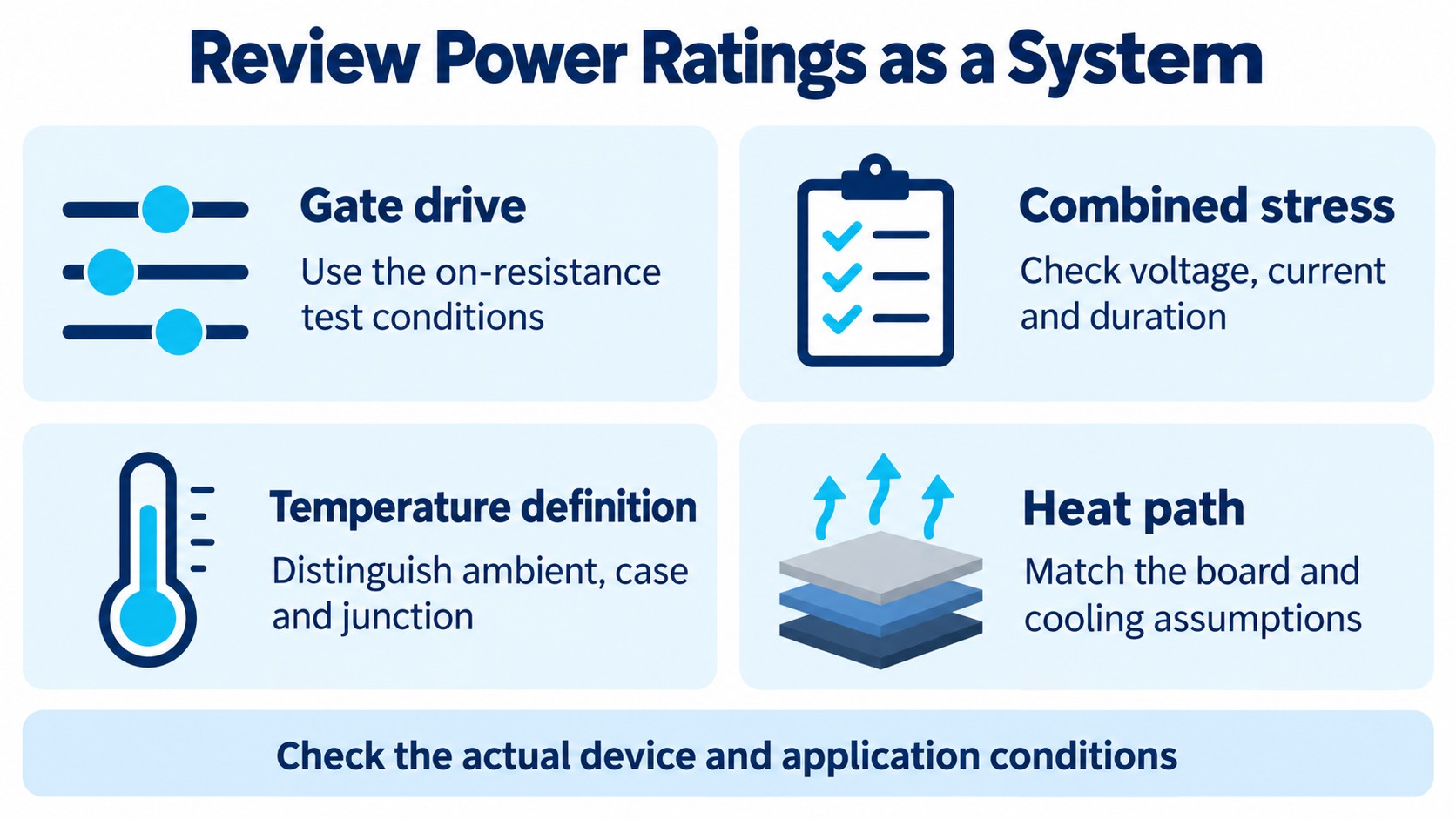
A component's voltage, current and temperature limits must be evaluated together under the relevant operating conditions. Separate headline maxima do not define a usable simultaneous operating point.
MOSFET threshold is not a low-resistance drive specification
Gate-threshold voltage is measured at a stated drain current. On-resistance is specified at a different operating point, including a particular gate voltage. Microchip's Understanding MOSFET Data application note illustrates this distinction with separate threshold and on-resistance tests.
For a switching design, find the RDS(on) specification at an applicable gate drive and temperature. Then check the driver and switching requirements. A threshold below a microcontroller's output voltage does not, by itself, prove acceptably low conduction loss at the intended load.
SOA is a combined-stress check
A safe operating area (SOA) diagram relates simultaneous voltage and current to conditions such as pulse duration and case temperature. Infineon's linear-mode and SOA application note also explains why repetitive pulses require consideration beyond a single-pulse boundary.
A curve labeled with case temperature is not automatically valid at the same numerical ambient temperature. Review the actual stress trajectory and cooling assumptions. Do not treat an SOA boundary as just another typical-performance trend.
Thermal symbols describe different things
Distinguish ambient temperature TA, case temperature TC and junction temperature TJ. TI's Semiconductor and IC Package Thermal Metrics explains why junction-to-ambient thermal resistance depends on the board and environment, and why a characterization parameter such as ΨJT is not interchangeable with a thermal resistance.
A datasheet thermal number is therefore an input to the thermal review. It is not a universal prediction for every PCB. Record the board assumptions, heat path and intended validation instead of reporting an exact operating junction temperature from an unmatched test configuration.
The same discipline applies to supporting components. Our 100 nF decoupling capacitor guide explains why nominal capacitance alone does not establish the installed behavior.
How do package drawings and ordering codes change the decision?
Approve the exact orderable device and its mechanical implementation, not only a recognizable base name. Electrically promising candidates can still fail footprint, assembly or configuration requirements.
Read the pin-function table alongside the pinout diagram. Check the drawing's viewing direction, pin-one indicator, exposed-pad instructions and treatment of reserved, do-not-connect or unused pins. Do not assume that similarly sized packages use the same numbering or that every unused pin may be left open.
Then compare the package drawing with the intended land pattern. Body outline, terminal geometry, pitch, tolerances and exposed-pad requirements each answer a different mechanical question. A library symbol and footprint should be checked against the correct package variant, not selected solely by a family label.
Package and delivery packaging are different. A QFN or SOIC identifies a device package family; tape-and-reel, tube and tray describe how parts are supplied. TI's packaging resources separate package drawings and footprints from carrier-pack and marking information.
Part-number suffixes can distinguish meaningful options, but their meanings are manufacturer- and family-specific. Use the actual ordering table or official product record. Do not decode a suffix using a rule remembered from an unrelated device.
For manufacturing context, the SMT and through-hole selection guide connects package choice with assembly, retention, thermal paths and service access.
Which documents should you read alongside the datasheet?
The datasheet is the starting technical reference; supporting documents resolve different questions. Check the complete documentation set appropriate to the device and project.
| Document or record | Question it helps answer |
|---|---|
| Reference manual or programming guide | How are registers, modes and sequencing implemented? |
| Application note | How should a particular design problem be approached? |
| Reference design or evaluation-board guide | Which implementation assumptions were used in an example? |
| Errata | What documented limitations apply to the relevant silicon revision? |
| Package and assembly guidance | How should the exact package be mounted and handled? |
| Product change or discontinuance notice | Which affected parts and changes require review? |
| Current manufacturer product record | What is the current lifecycle or ordering information? |
Do not assume that a new datasheet revision and a new silicon revision mean the same thing. Record them separately when the device documentation distinguishes them.
An errata update may also occur without a datasheet update. For example, NXP's August 2024 notification for i.MX 8 1N94W errata revision 6 explicitly says the errata changed without an impact on the existing datasheet. This is a historical documentation example, not a statement about the latest revision for a current purchase.
When an older project uses an earlier revision, compare the changes and affected device identities. Replacing a saved PDF is not the same as closing the engineering review.
Reference designs also need interpretation: their supply, load, firmware, PCB and test conditions may differ from yours. Keep the useful implementation evidence while identifying the assumptions that need to be checked again.
How do you turn a datasheet review into an approved BOM record?
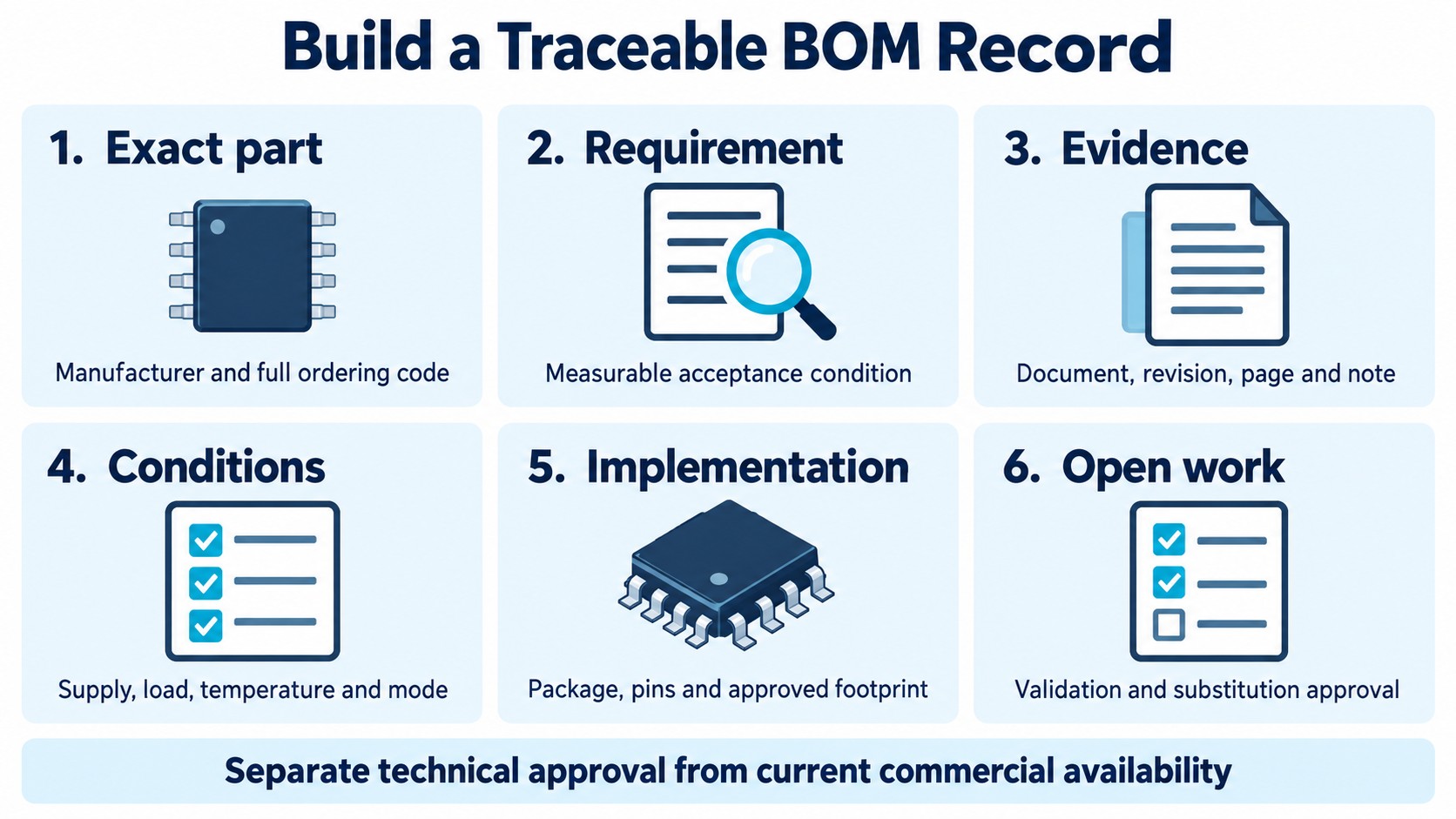
A useful BOM handoff preserves the evidence behind the choice. Purchasing should not have to infer whether a shortened part number or a similar headline specification is acceptable.
Use a compact record such as this:
| Record field | What to enter |
|---|---|
| Device identity | Manufacturer and complete manufacturer part number |
| Requirement | Function and measurable acceptance condition |
| Evidence | Document ID, revision, section/page and relevant note |
| Applicable specification | Minimum/maximum or other qualified limit, with units |
| Conditions | Supply, temperature, load, mode and measurement assumptions |
| Mechanical implementation | Package code, pin map and approved footprint reference |
| Procurement details | Required delivery packaging and any verified project requirements |
| Open work | Missing guarantee, analysis, test or manufacturer clarification |
| Substitution control | Allowed change, required rechecks and approving owner |
For each critical requirement, use an explicit status: covered by the cited specification, requires verification, or does not meet the requirement. Avoid a vague “looks suitable” entry that can be mistaken for an approval.
A substitute should reopen the relevant checks. A matching function does not prove pin compatibility; matching pins do not prove timing, thermal or power-state compatibility. Record the scope of the comparison and the evidence still missing.
The integrated circuits category can help organize candidate searches. Use the exact manufacturer's documents to make the engineering decision.
When ready to source parts, send the full part numbers and BOM requirements for an RFQ. Include approved substitutions or state that none are approved. Request current commercial information separately: a datasheet does not establish a supplier's available stock, price, lead time or traceability for a particular shipment.
Which mistakes should stop a component selection?
Stop when a critical requirement depends on an unsupported assumption. A missing answer should become a recorded action, rather than an optimistic value in a spreadsheet.
Common stop conditions include:
- The exact variant or package cannot be identified.
- A critical worst-case requirement is justified only by a typical value.
- The operating point exceeds a recommended condition or relies on an unapproved stress exception.
- The cited specification uses a different load, supply or temperature and the difference has not been resolved.
- Power sequencing, timing, thermal behavior or a relevant erratum remains unchecked.
- A proposed replacement is called compatible without a defined comparison.
Closing one of these items may require another document, manufacturer clarification, simulation or a controlled board test. Choose the method that answers the actual uncertainty. A successful prototype measurement is useful evidence, but it does not by itself create a production-wide specification absent from the manufacturer's documentation.
The outcome of a good review is a bounded decision: this exact part meets these requirements under these conditions, with these remaining validation tasks.
Frequently asked questions
Is a datasheet the same as a product page?
No. A product page helps locate variants, resources and current ordering information. The datasheet provides the detailed technical specifications and conditions. Use related errata and implementation documents where applicable, and resolve discrepancies before approval.
Can I design with a typical value when no maximum is listed?
You can use it for a qualified estimate, but it does not become a guaranteed worst-case limit. If the requirement is critical, record the missing bound and obtain suitable evidence or clarification before treating the candidate as approved.
Is it safe to operate just below an absolute maximum rating?
That alone does not establish correct operation or reliability. Check recommended operating conditions, simultaneous stresses and the manufacturer's guidance. There is no universal percentage margin that makes every component and stress condition acceptable.
How do I compare two datasheets fairly?
Normalize the meaning of the parameter, units, supply, temperature, load, operating mode and qualification. If the conditions differ, mark the comparison as incomplete instead of ranking the two numbers as though they were equivalent.
Does the same package name mean a replacement will fit?
No. Verify the exact package drawing, dimensions, pin numbering, exposed pad and land pattern, then check the electrical and functional behavior. A package-family name alone does not establish mechanical or electrical interchangeability.
Technical sources checked October 15, 2026. The logic-margin calculation is an illustrative static check, not a measured board result or a compatibility guarantee. Infographics are conceptual teaching aids, not manufacturer documents or qualified circuit diagrams.